VSP Finds is reader-supported. When you buy through links on our site, we may earn an affiliate commission at no extra cost to you.
Modern TVs never seem to have enough HDMI ports. Between a console or two, a streaming box, a soundbar, and a PC, something always ends up unplugged. A good HDMI switch fixes that for the price of a takeout dinner. These five 2026 picks handle 4K@60Hz cleanly and switch sources at the press of a remote.
UGREEN HDMI Switch 5-in-1 Out 4K@60Hz

Product Description
UGREEN’s 5-port switch is the full-home-theater solution: five inputs, one output, rock-solid 4K@60Hz with HDR passthrough, and a remote so you can flip from console to streamer from the couch. The aluminum shell dissipates heat during long sessions, and auto-switching jumps to whichever device powers on.
GANA Bidirectional HDMI Switch 4K@60Hz

Product Description
The GANA is the minimalist pick: an aluminum bidirectional switch that routes either two sources into one display or one source into two displays. No power cable needed for most setups, a one-button toggle, and 4K@60Hz support make it perfect for a monitor shared between a work laptop and a game console.
TIGKTING HDMI KVM Switch (2 Monitors, 2 Computers)
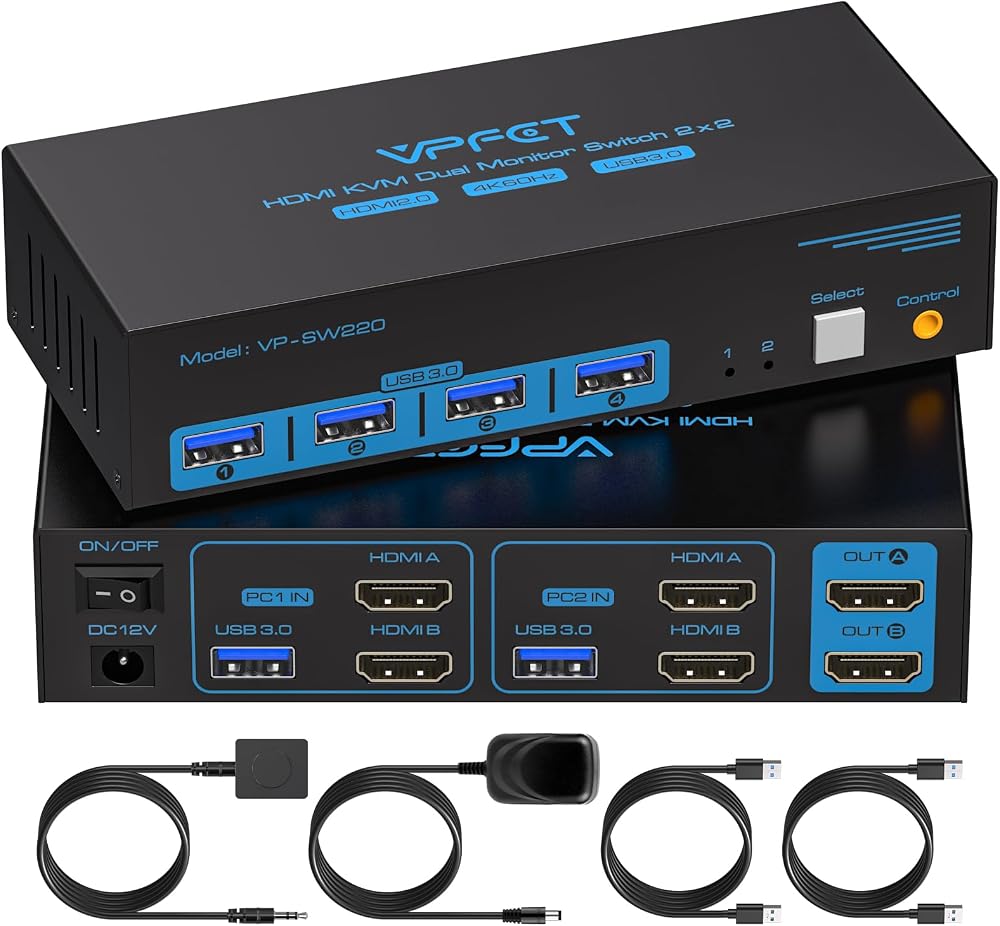
Product Description
For dual-computer desks, this KVM switch is a productivity cheat code. It shares two 4K@60Hz monitors, a keyboard, a mouse, and USB peripherals between two computers with one button press — ideal for anyone juggling a work laptop and a personal desktop on the same dual-monitor setup.
WARRKY HDMI Switch 2-in-1 Out with Braided Cable

Product Description
The WARRKY 2-in-1 switch includes a fixed 3.3-foot braided cable, so you save the cost of an extra HDMI lead. It handles 4K@60Hz, switches with a satisfying click, and its compact wedge shape tucks neatly behind a monitor or media console. A tidy, budget-friendly fix for one-port-short setups.
UGREEN HDMI Switch 3-in-1 Out 4K@60Hz
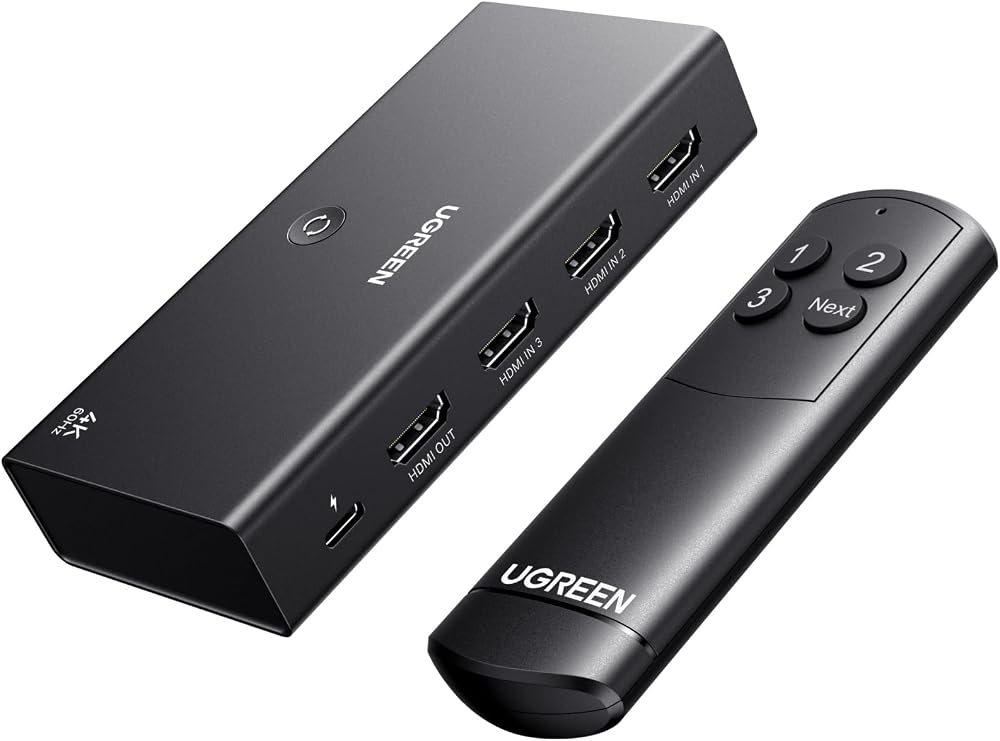
Product Description
The three-port sibling of our top pick keeps the same 4K@60Hz signal quality, remote control, and aluminum build in a smaller footprint. It is the right size for most living rooms — two consoles plus a streaming stick — without paying for ports you will never fill.
How to choose an HDMI switch
Count your devices first, then add one. A 3-port switch suits most living rooms, while 5-port models future-proof serious setups. If you need to share peripherals like a keyboard and mouse between two computers, you want a KVM switch like the TIGKTING rather than a plain HDMI switch.
Match the bandwidth to your gear. 4K@60Hz with HDR covers current consoles and streaming boxes for most people; competitive gamers running 120Hz displays should check for HDMI 2.1 support specifically. All the picks above handle 4K@60Hz without flicker or handshake drama.
Convenience features matter daily: a remote saves you from crawling behind the TV, auto-switching jumps to newly powered-on devices, and powered switches hold a more stable signal over long cable runs than passive ones. Aluminum housings run cooler during marathon sessions.
Frequently Asked Questions
Does an HDMI switch reduce picture quality? No — a quality switch passes the digital signal through untouched. Problems only appear with underpowered no-name switches on long cable runs, which can cause dropouts rather than degraded quality.
What is the difference between a switch and a splitter? A switch sends multiple sources to one display; a splitter mirrors one source to multiple displays. Bidirectional models like the GANA can do either, one direction at a time.
Related tech guides
If you are building out your setup, check out our guides to TV mounts, Thunderbolt docks, powerline adapters, or browse every pick on our All Tech Finds hub.
Final Thoughts
For most living rooms, the UGREEN 3-port hits the sweet spot of ports, quality, and price, while the 5-port version handles bigger setups. Grab the GANA for a simple desk share, or the TIGKTING KVM if two computers need to live on one pair of monitors. Whichever you pick, you will never swap cables behind the TV again.