VSP Finds is reader-supported. When you buy through links on our site, we may earn an affiliate commission at no extra cost to you.
If you have a drawer of bare hard drives — old laptop pulls, backup disks, surveillance drives — a dock turns any of them into instant external storage. The best hard drive docks in 2026 accept 2.5 and 3.5 inch SATA drives tool-free, and the dual-bay models clone drives without a computer. Five picks worth a spot on your desk.
SABRENT Dual Bay USB 3.0 SATA Dock

Product Description
SABRENT’s dual-bay dock is the classic for a reason: drop in two drives, press the offline-clone button, and it duplicates a disk sector-by-sector with no PC involved. Over USB 3.0 it doubles as fast scratch storage for both bays at once.
SABRENT Lay-Flat USB 3.0 SATA Dock

Product Description
The lay-flat design holds a drive horizontally, which is kinder to connectors and lets you use bare drives semi-permanently without stressing the SATA port. A favorite for editing bays and NAS spares.
SABRENT USB 3.0 SATA Docking Station

Product Description
SABRENT’s vertical single-bay is the minimalist pick: one slot, tool-free swaps, UASP-accelerated USB 3.0 speeds, and a tiny desk footprint. Ideal for occasionally reading old drives or rotating backup disks.
FIDECO Hard Drive Docking Station

Product Description
FIDECO’s dock adds offline cloning at a value price and handles both drive sizes with a sturdy chassis. The status LEDs make clone progress obvious — a solid choice for IT drawers and family tech support kits.
ORICO 2.5/3.5-Inch Hard Drive Dock
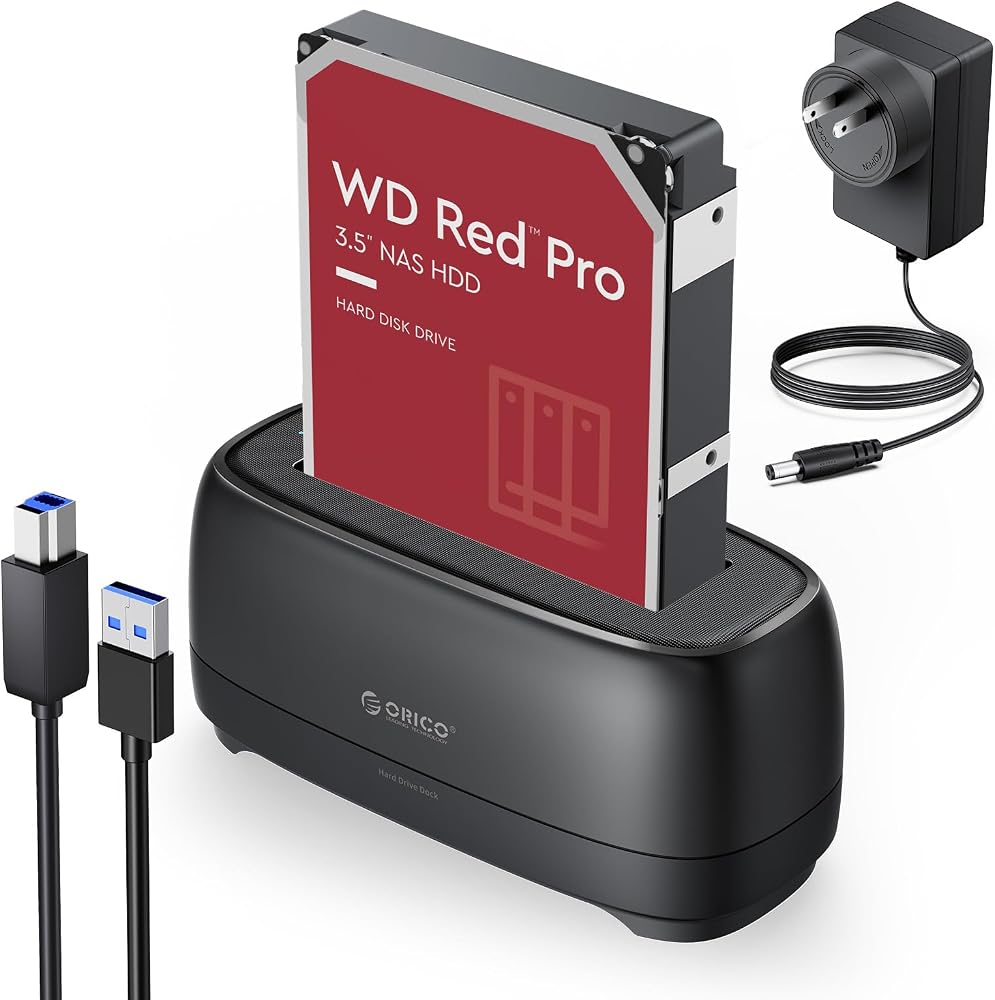
Product Description
ORICO’s dock supports 2.5 and 3.5 inch drives with tool-free swaps and dependable USB connectivity, from a brand that lives in the drive-enclosure world. A clean, affordable single-bay for backup rotation.
How to choose a hard drive dock
Buy dual-bay with offline clone if you ever migrate or upgrade drives — cloning a failing disk without booting a PC is the feature you will be glad you have. Single-bay docks are cheaper and fine for reading and rotating disks.
Check capacity and interface support: modern docks should handle 16TB+ drives and UASP for full USB 3.0 speeds. If you will hammer both bays simultaneously, look for a dock with a proper power brick rather than bus power.
For long-term always-connected use, prefer lay-flat or enclosure-style docks; vertical toaster slots are built for quick swaps, and a drive left standing in one for years collects dust in the connector and stress on the port.
FAQ
Can a dock read old laptop drives?
Yes — any 2.5 inch SATA drive from an old laptop drops straight in with no adapter or screws, and shows up like a USB drive. Only very old IDE/PATA drives need a different adapter.
Does offline cloning copy my operating system?
Yes, it is a sector-level duplicate, so the clone is bootable if the source was. The target drive must be the same size or larger, and everything previously on it is erased.
Related tech guides
- Best External SSDs 2026
- Best NVMe Enclosures 2026
- Best SD Card Readers 2026
- Browse all Tech & Gadgets finds
Final Thoughts
The SABRENT dual-bay is the one most people should buy — cloning pays for the price difference the first time you upgrade a drive. Keep a single-bay ORICO or SABRENT around if you just need to read the drive drawer.