VSP Finds is reader-supported. When you buy through links on our site, we may earn an affiliate commission at no extra cost to you.
You no longer need to spend flagship money to get a great typing experience. The best mechanical keyboards under $100 in 2026 offer hot-swappable switches, gasket-mounted cases, wireless connectivity and RGB lighting that would have cost twice as much a few years ago. Whether you type all day, game all night or both, these five boards deliver serious value.
Kisnt KN85 Wireless Mechanical Keyboard
Product Description
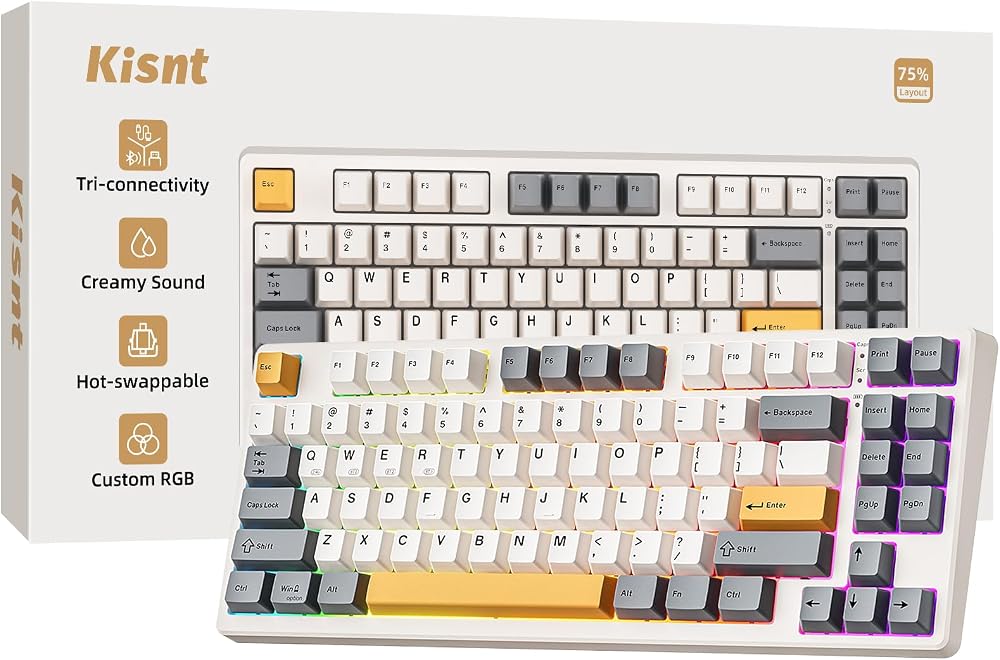
The Kisnt KN85 packs tri-mode connectivity — Bluetooth, 2.4GHz and wired USB-C — into a compact 75% layout that keeps arrow keys while saving desk space. It is hot-swappable, so you can change switches without soldering, and the pre-lubed stabilizers keep larger keys rattle-free. At around $45 it is an outstanding all-rounder for work and play.
E-YOOSO Creamy Wired Mechanical Keyboard

Product Description
This E-YOOSO board is built around pre-lubed linear switches that produce the deep, marbly “creamy” sound signature keyboard fans chase, straight out of the box. Hot-swap sockets mean you can experiment with switches later, and the solid case keeps flex to a minimum. It is a lot of keyboard for the money.
MageGee 75% Mechanical Gaming Keyboard

Product Description
At around $30, the MageGee 75% proves a first mechanical keyboard does not need to be a big investment. Clicky blue switches give satisfying tactile feedback, the 87-key layout stays compact, and LED backlighting adds gaming flair. It is an easy recommendation for students and first-time mechanical users.
RK Royal Kludge R98 Pro Mechanical Keyboard
Product Description
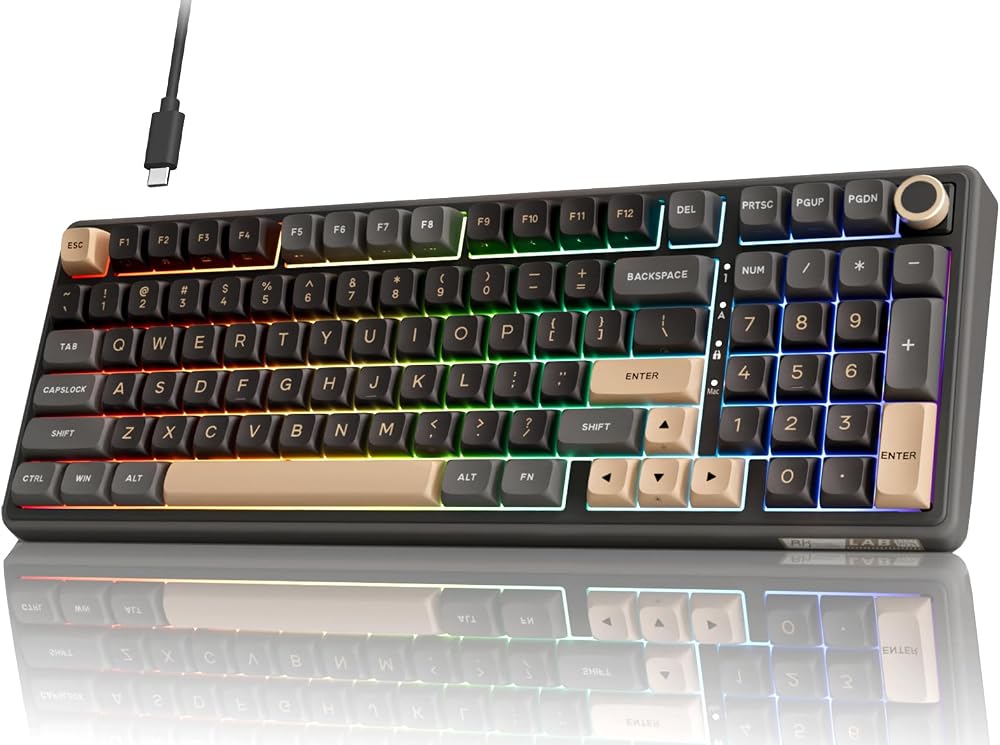
The R98 Pro brings a near-full-size 96% layout — number pad included — with a creamy gasket-mounted feel and RGB lighting. If you crunch spreadsheets by day and game by night, this is the pick that does not force you to give up the numpad, and it still slips comfortably under the $100 line.
AULA F75 Pro Wireless Mechanical Keyboard

Product Description
The AULA F75 Pro has become a community favorite for good reason: gasket mount, multiple layers of sound-dampening foam, hot-swap sockets and tri-mode wireless, all in a 75% package around $66. It sounds and feels like boards that cost far more.
How to choose a mechanical keyboard under $100
Start with the switch type. Linear switches are smooth and quiet, ideal for fast gaming; tactile switches give a bump you can feel when a key registers; clicky switches add an audible click that typists love and officemates tolerate. If you are unsure, buy a hot-swappable board so you can change switches later without soldering.
Pick a layout that matches your desk and workflow. A 75% board keeps arrows and function keys in a compact frame, a 96% layout squeezes in a number pad, and tenkeyless (TKL) sits in between. Smaller boards free up mouse room, which competitive gamers appreciate.
Finally, weigh connectivity and build. Tri-mode boards (Bluetooth, 2.4GHz dongle and wired) offer the most flexibility, while gasket-mounted cases and foam dampening noticeably improve sound and typing feel. Under $100, features like these were rare two years ago — now they are the benchmark.
Frequently asked questions
Are mechanical keyboards under $100 good for gaming? Yes. Boards in this range now include low-latency 2.4GHz wireless, fast linear switches and full anti-ghosting, which covers the needs of all but the most demanding esports players.
What does hot-swappable mean? Hot-swap sockets let you pull switches out and push new ones in without soldering, so you can change how the keyboard feels and sounds anytime — a great way to extend the life of a budget board.
Related tech guides
Best Gaming Mouse Pads · Best Macro Pads · Best Ergonomic Mice · All Tech Finds
Final Thoughts
Any of these five boards will transform daily typing without breaking $100. The Kisnt KN85 is the best blend of features and price for most people, the MageGee 75% is the smart entry point, and the RK R98 Pro is the one to grab if you refuse to give up your number pad.